Macros that feel like your own hands.
Build a speed flip, a wall dash or any key sequence once, bind it to a key, and play. Millisecond timing, humanized delays, two-stage triggers, and a cloud copy of everything you make.
- One payment, every update
- 38 ready-made macros included
- Support on Discord
Built for how you actually play
Real screens from the app. No mock-ups.
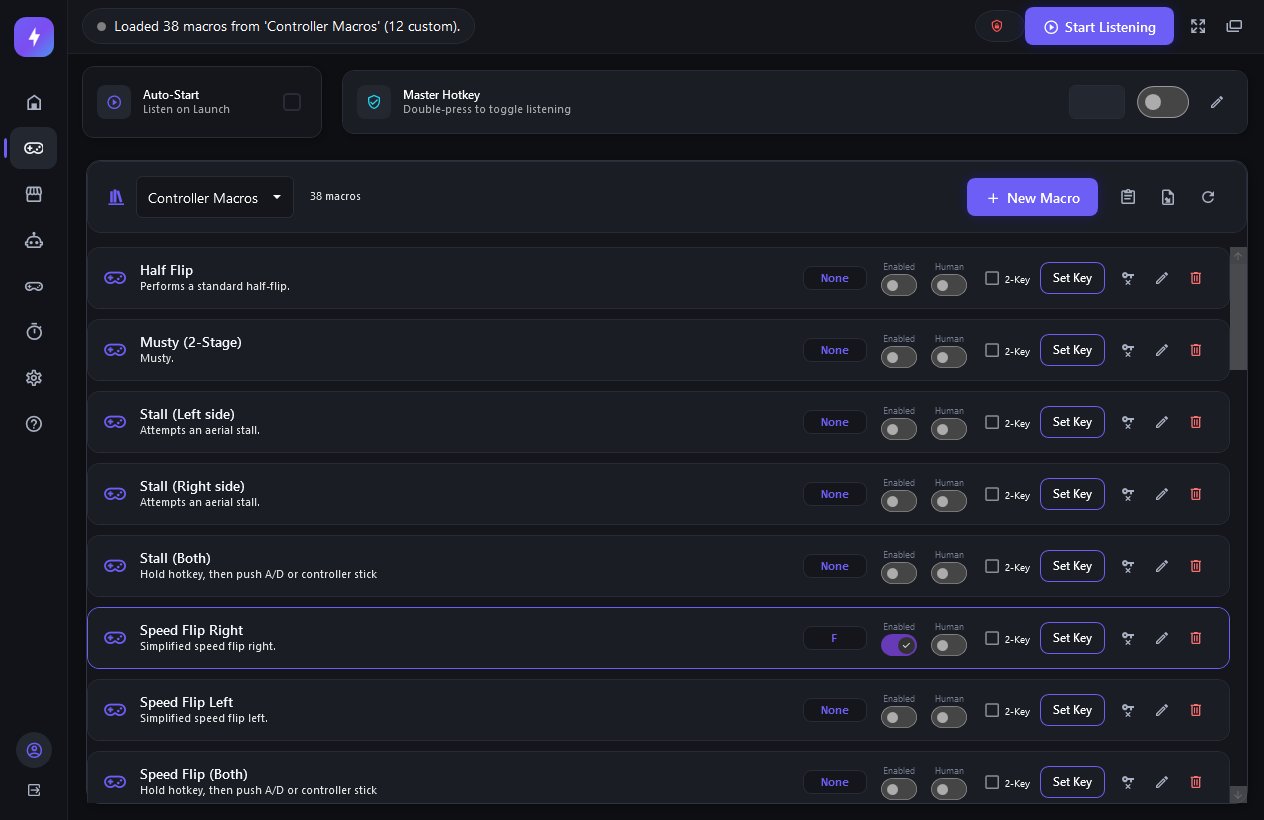
Every macro on one screen
Pick a library, bind a key or a two-key combo, flip a macro on or off, and turn on humanized timing per macro. Custom macros get a Store switch and a share button right on the row.
- Keyboard, mouse and controller hotkeys
- Master hotkey to arm everything with a double-press
- Warns you before two macros share a key
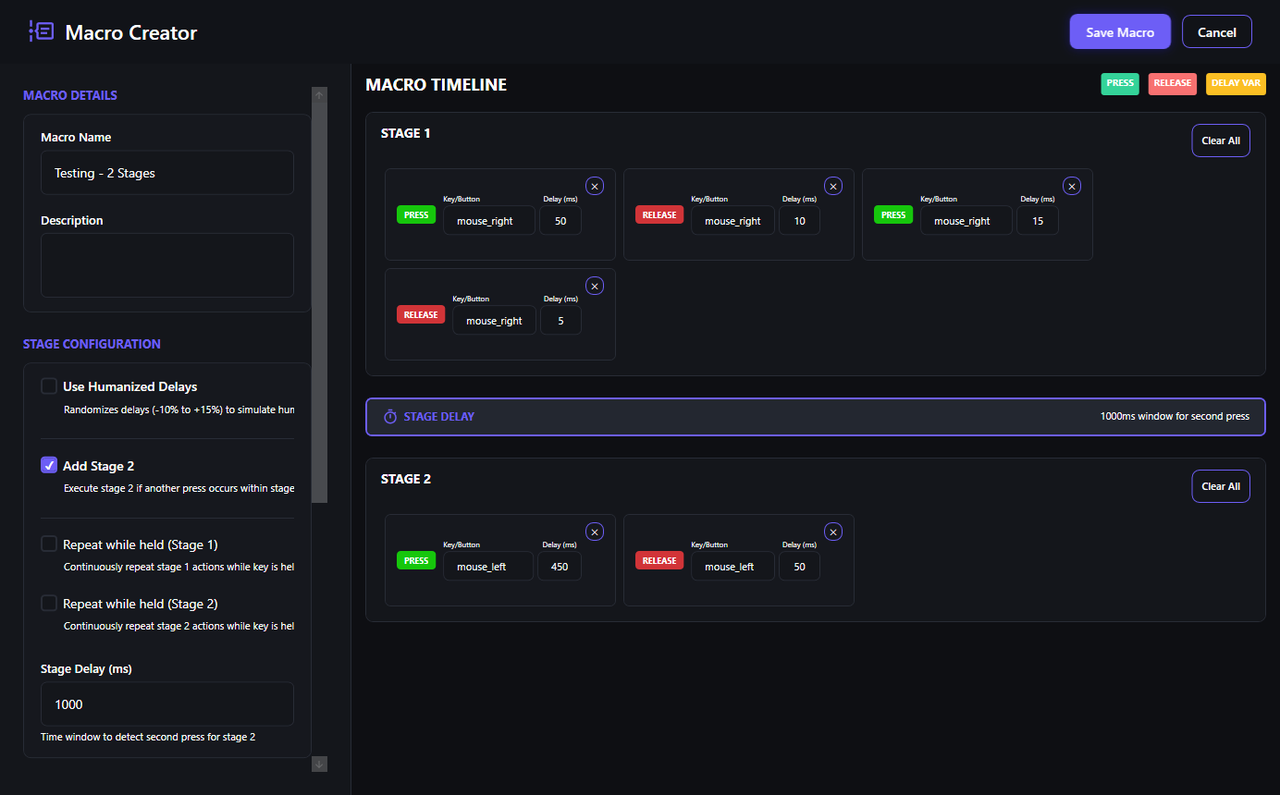
Stages, not scripts
Lay out presses and releases on a timeline with delays in milliseconds. Add a second stage that only fires if you press again inside a window. Set a stage to repeat while the key is held.
- Record your own input instead of typing it
- Humanized delays: -10% to +15% randomization
- Delay variables you can retune later without editing
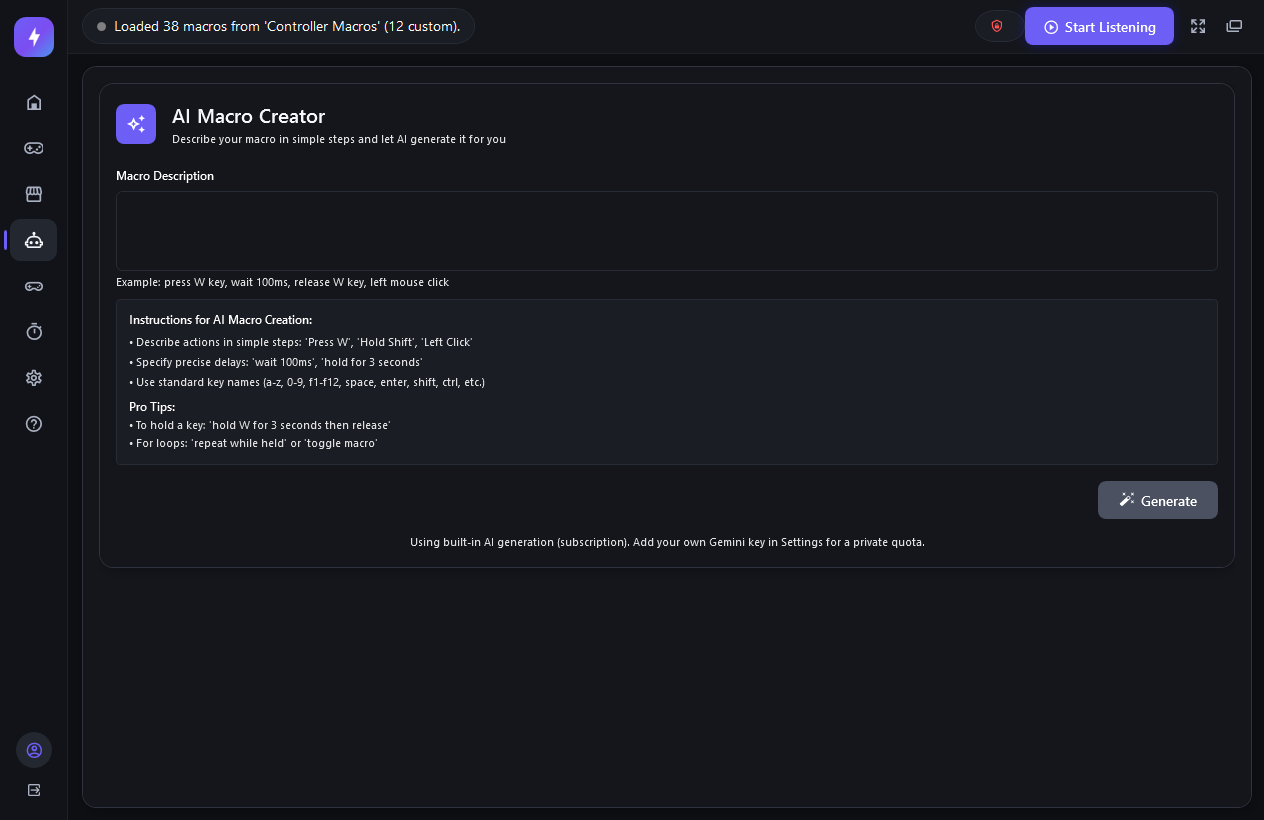
Describe it. Get a macro.
"Hold W for 3 seconds, then left click twice." The built-in generator turns plain English into a macro you can open in the editor and tweak. Bring your own Gemini key if you want a private quota.
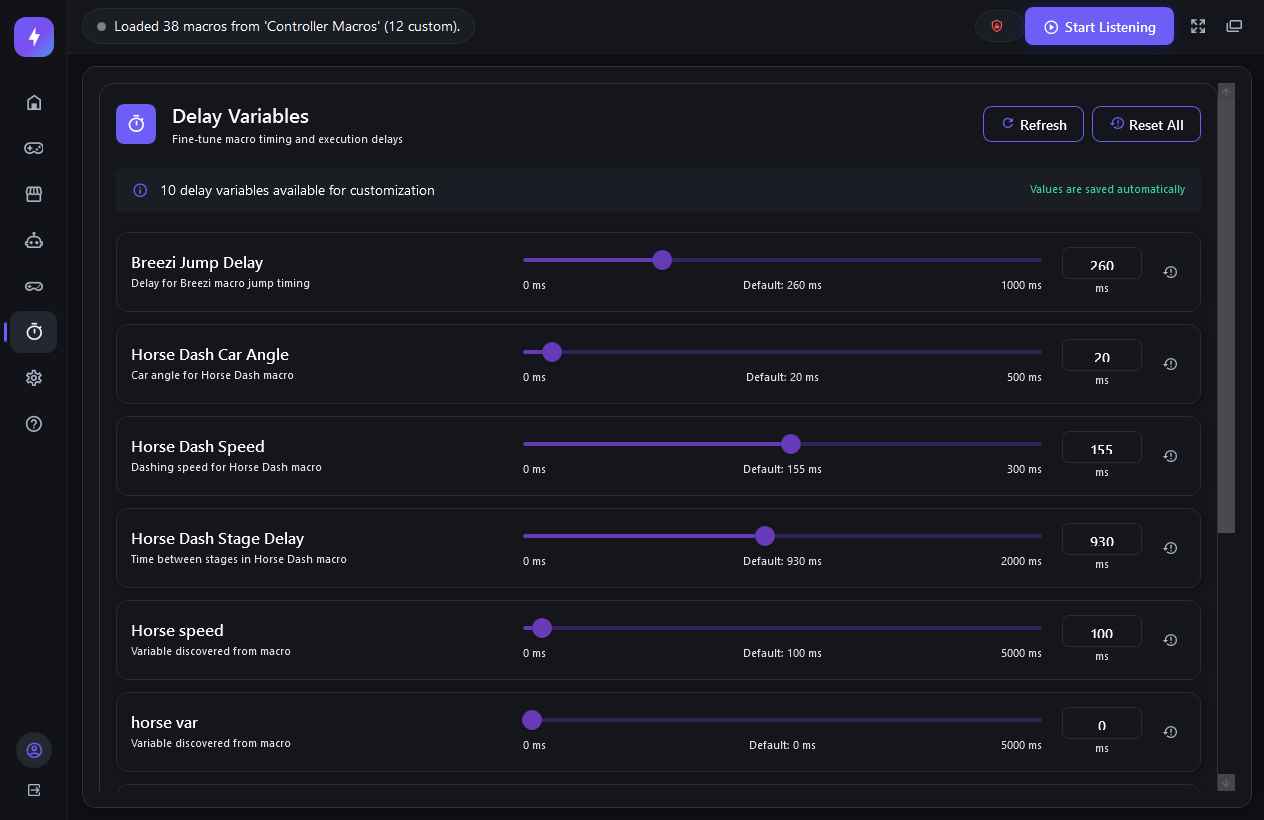
Tune timing to your setup
Every included macro exposes its timings as sliders. Nudge a jump delay by 10 ms for your frame rate or controller and it's saved instantly. Reset any value with one click.
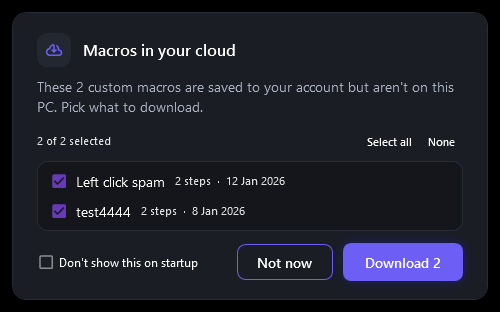
Your macros follow your account
Every custom macro is saved to your account as you edit it. New PC or fresh install? Sign in and pick which ones to bring back.
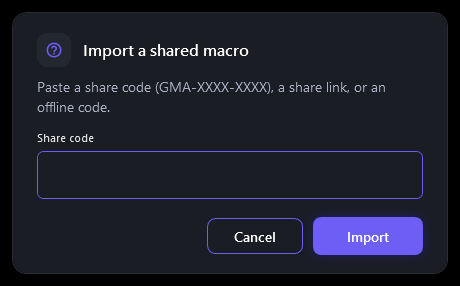
Share with a code, publish to the Store
Send a friend a code like GMA-7K3P-Q9ZD and they import your macro in seconds. Or flip the Store switch to publish it for everyone after review.
Everything under the hood
The parts you don't see in a screenshot
Millisecond timing
The engine raises the Windows timer to 1 ms while you play and spins for the last stretch of every delay, so a 40 ms gap is a 40 ms gap.
Controller aware
Bind macros to pad buttons, choose Xbox or PlayStation layouts, and switch library and input backend automatically per game.
Import what you have
Bring AutoHotkey scripts, GMA JSON or plain text lists straight in. Anything that can't be translated is listed before you import, never silently dropped.
Two-stage triggers
Press once for stage one, press again inside the window for stage two, or hold to repeat. Mustys, flicks and setups in a single bind.
Compact side tool
A small dark window that sits next to your game, or a full layout when you're building. Sends to tray and records with a global hotkey while minimized.
Updates itself
New versions download inside the app and install with a rollback if anything goes wrong. Your license covers every release.
Community Store
Free macros made by players, reviewed before they go live, installed in one click.
Playing in five minutes
From checkout to your first bound macro
$25.99 through PayPal. Your license activates instantly and never expires.
Grab the Windows app from your dashboard and log in with the same account. No keys to copy around.
Start with the included keyboard or controller library, or build your own in the Macro Creator.
One button arms your macros. Tune delays while you play; everything saves as you go.
Simple pricing
One plan. One payment. Every update.
Lifetime License
One-time payment — no subscription
- Windows app, every future version
- 38 included macros in two libraries
- Macro Creator, recorder and AI Creator
- Cloud library, share codes and the Store
- Support on Discord
Questions, answered
What players say
From the Discord community
"This tool works amazing and I've been using it for almost 2 years now. Speedflips and wall dashes are OP. I use this macro tool every single time I play."
"One of the best tools out there 10/10 perfect in every way. Great customer service and fast delivery of service."
"The only mechanic that I truly ever needed was the speed flip. Ever since I've gotten it, I've improved tremendously. Huge props for making this program."
"Extremely good customer support and best macros I've used. Has made me rank up at least 3 ranks."
"Macro is really good. Helped me get to GC by doing consistent wall dashes and speed flips. 10/10 would HIGHLY recommend."